Showing posts with label social. Show all posts
Showing posts with label social. Show all posts
Tuesday, February 21, 2017
Animated Sassy Social Bookmark Gadget For Blogger
Animated Sassy Social Bookmark Gadget For Blogger
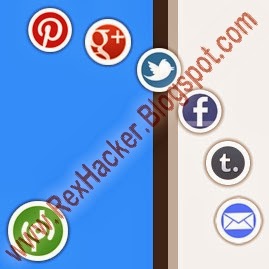
Before i have share Add Live Chat Widget to Blogger, i hope you will like this widget for your blogger, and before this i have share one more cool blogger widget for your blog that is How to Add Cool Jquery Popup Facebook Like Box to Blogger. You can also Add Animated Flying Twitter Bird Widget to Blogger.
Now Lets Start to Add Animated Sassy Social Bookmark Gadget For Blogger.

1. Log in to Your Blogger Account And Go to Dashboard.
2. Choose Template > Edit HTML.
3. Find The Following Code In Your Blogger Template.
</body>
4. Copy And Paste The Following Code Directly Before </body> Tag.
<!-- Start Shareaholic Sassy Bookmarks HTML - http://www.rexhacker.blogspot.com -->
<div class=shr_ss shr_publisher>
</div>
<!-- End Shareaholic Sassy Bookmarks HTML -->
<!-- Start Shareaholic Sassy Bookmarks settings -->
<script type=text/javascript>
var SHRSS_Settings = {"shr_ss":{"src":"//dtym7iokkjlif.cloudfront.net/media/downloads/sassybookmark","link":"","service":"5,7,2,313,38,201,88,74","apikey":"b87f5899d80a5edce8b5e55f58542ef0f","localize":true,"shortener":"bitly","shortener_key":"","designer_toolTips":true,"tip_bg_color":"black","tip_text_color":"white","viewport":true,"twitter_template":"${title} - ${short_link} via @Shareaholic"}};
</script>
<!-- End Shareaholic Sassy Bookmarks settings -->
<!-- Start Shareaholic Sassy Bookmarks script -->
<script type=text/javascript>
(function() {
var sb = document.createElement("script"); sb.type = "text/javascript";sb.async = true;
sb.src = ("https:" == document.location.protocol ? "https://dtym7iokkjlif.cloudfront.net" : "http://cdn.shareaholic.com") + "/media/js/jquery.shareaholic-publishers-ss.min.js";
var s = document.getElementsByTagName("script")[0]; s.parentNode.insertBefore(sb, s);
})();
</script><small><a href=http://rexhacker.blogspot.com/search/label/Blogger%20Widget>Blogger Widgets</a> - <a href=http://rexhacker.blogspot.com/search/label/Blogger%20Template>Blogger Templates</a></small>
<!-- End Shareaholic Sassy Bookmarks script -->
<!-- End Shareaholic Sassy Bookmarks HTML - http://www.rexhacker.blogspot.com -->
Note: You Can Copy This Code From This Link.
5. Save Your Template And You Are Done.
Available link for download

Sunday, February 12, 2017
Peeling Stickers Social Media Widget For Blogger
Peeling Stickers Social Media Widget For Blogger

You can increase your blog traffic with these sharing buttons. You can change link of these icons/buttons. Before I have share How to Add Animated Sassy Social Bookmark Gadget For Blogger. I hope you will like my these widgets article and also must suggest me for better sharing. Before this sharing I have also share one interesting sharing that is How to Add Live Chat Widget For Blogger.
Now Lets start to Add Peeling Stickers Social Media Widget For Blogger.
See Demo Picture Below.

1. Login to Blogger Layout >> Add Gadgets.
2. Click Add Gadgets and select HTML/Javascript.
3. Now Paste Below Code.
<style>
p#socialicons img { -moz-transition: all 0.2s ease-in-out; -webkit-transition: all 0.2s ease-in-out; -o-transition: all 0.2s ease-in-out; -ms-transition: all 0.2s ease-in-out; transition: all 0.2s ease-in-out;}
p#socialicons img:hover { -moz-transform: rotate(70deg); -webkit-transform: rotate(70deg); -o-transform: rotate(70deg); -ms-transform: rotate(70deg); transform: rotate(70deg);}
p#socialicons1 img { -moz-transition: all 0.8s ease-in-out; -webkit-transition: all 0.8s ease-in-out; -o-transition: all 0.8s ease-in-out; -ms-transition: all 0.8s ease-in-out; transition: all 0.8s ease-in-out;}
p#socialicons1 img:hover { -moz-transform: rotate(360deg); -webkit-transform: rotate(360deg); -o-transform: rotate(360deg); -ms-transform: rotate(360deg); transform: rotate(360deg);}
p#socialicons2 img { -moz-transition: all 0.5s ease-in-out; -webkit-transition: all 0.5s ease-in-out; -o-transition: all 0.5s ease-in-out; -ms-transition: all 0.5s ease-in-out; transition: all 0.5s ease-in-out;}
p#socialicons2 img:hover { -moz-transform: rotate(-360deg); -webkit-transform: rotate(-360deg); -o-transform: rotate(-360deg); -ms-transform: rotate(-360deg); transform: rotate(-360deg);}</style>

<center><p id="socialicons">
<a href="https://www.facebook.com/RexHacker" target="_blank"><img border="0" src="https://blogger.googleusercontent.com/img/b/R29vZ2xl/AVvXsEgmmyzp52RdL4-dLmNLrvk6cf5zNSMrj88V7GuxAQef76_-qgOkoLLi1rwKd3DGPYuZLIRfEwHxlioQViaH_bawcwL56Kejawy6VtqHiHK6_n7VBHpjCWmjrhjGfuJCjdSfQTTYPJKqBgav/s1600/bloggertrix-facebook.png" /></a>
<a href="https://twitter.com/RexHacker" target="_blank"><img border="0" src="https://blogger.googleusercontent.com/img/b/R29vZ2xl/AVvXsEhiVNNm8zOLeZDAsXoB-yKkXxpR71lG2rHHXJ0d0VBnx6_xoPhxfvhIiPePtYIkXP6A1qjbCLRHG7lcRYxf4Wcg9YjXEhyphenhyphencPtcKu3CFSPwqwttsS9IY6ZOwCPf3pfaPy1C8ohdBNCWOgUZF/s1600/bloggertrix-twitter.png" /></a>
<a href="http://www.stumbleupon.com/stumbler/RexHacker" target="_blank"><img border="0" src="https://blogger.googleusercontent.com/img/b/R29vZ2xl/AVvXsEiOQ0SIVYh7_x4cE1EhU0On7fX-511po6saYOrkUqIDA6rkVi6LwojKU5XP98ogwx1Hnb2q-HafJnza0WnTb2PhGX1x-OBSP5yklHUwp2IJCy4FvIuSigtGUQs-317lzejUnwDLMYznl7E6/s1600/bloggertrix-stumbleupon.png" /></a>
<a href="http://feeds.feedburner.com/RexHacker" target="_blank"><img border="0" src="https://blogger.googleusercontent.com/img/b/R29vZ2xl/AVvXsEiFEhl_gjOgRw5iaxS-sPg_7vBwvbRnKJ5EWEH4MkCX15Gvu8dxncNRS5K_got5bIPMStqENgky73mt_vJQWOvHDM4lxin4uGkTAdkUsmVInSefLnNbhrewW0eRB569JyDaIaM9fd7xObvF/s1600/bloggertrix-rss.png" /></a></p></center>
Note: You Can Copy This Code From This Link.4. After Paste Above Code.
* Replace RexHacker With your Facebook Username
* Replace RexHacker With your Twitter Username
* Replace RexHacker With your Stumbleupon Username
* Replace RexHacker With your Feedburner Username
5. Now save your HTML/Javascript.
6. You Are Done.
Available link for download
Subscribe to:
Posts (Atom)