Showing posts with label official. Show all posts

Sunday, March 12, 2017

Update HTC One M9 to Official Marshmallow Firmware with Latest RUU File

Update HTC One M9 to Official Marshmallow Firmware with Latest RUU File


 Update HTC One M9 to Official Marshmallow Firmware with Latest RUU File


htc-one-m9
HTC One A9 and the M8 devices received official Android 6.0 Marshmallow firmware from the manufacturer last month. HTC releases firmware updates in the form of large RUU files. The files weigh nearly 2 GB. However, the installation is pretty simple as compared to other devices from various manufacturers. Here, we have listed the latest RUU file for the HTC One M9 device and is a maintenance release from HTC that also incorporates the latest Marshmallow firmware.
This software upgrade comes in the form of two sequential updates. The first update will install software version 2.11.617.180, which does not include theAndroid OS upgrades. The following update will install software version3.35.617.12, which includes the changes to the Android OS.
Before you proceed, please confirm that this software upgrade to 3.35.617.12 is a newer version than what is currently loaded on your device. If it is the same version, there is no need to reload the software. Navigate to the Home screen, then tap All apps > Settings > About and locate the Software information. If your Software number is less than 3.35.617.12, you should proceed with theupgrade.
Take a look at the official HTC portal to know more about the update, changelog, and installation instructions.
Warning: During the upgrade process the device will reboot multiple times and show software upgrade screens. Do not remove the AC charger or long-press the Power button as this might stop the update and your device may be rendered inoperable! We, at DroidViews, won’t be liable for any damage to your device whatsoever. We won’t be held responsible if you brick your device. Reader’s discretion is advised.

 Download

  • Latest RUU File for HTC One M9 — Download | RUU version 3.35.617.12 [2.14 GB]
  • Latest RUU.zip file  — Download | Will be updated here once available
Backup Apps and DataThis process wipes all of your data. Hence, a backup is highly recommended. Make sure you backup your system, data, etc. on your PC. It will be helpful in case anything goes wrong.

Prerequisites

  • This guide is compatible with various HTC One M9 device.
  • Do this if you use Method 2 or 3. Set up ADB and Fastboot on your computer. You can download the full Android SDK from here, or get the quick ADB and Fastboot installer from here. For Mac or Linux OS, click here. You may also like HTC Fastboot tool for the HTC devices.
  • Install HTC USB Drivers on your computer.
  • Open Settings> Developer options and enable USB Debugging on your device.
  • Go to Developer options and enable Allow OEM unlock, if such an option is available.

Method 1: Restore HTC One M9 to Official Marshmallow Firmware with RUU.EXE File

If you have the RUU.EXE file, then the above methods won’t work for you and the flash process will be comparatively easy. The zip files have been extracted from the RUU.zip files. To go through this process successfully, make sure you have the latest HTC drivers or the HTC Sync installed. Connect your phone to your computer and launch the RUU.EXE file. Follow instruction from the RUU program.
Listed below are the alternative methods to install the RUU files. However, you will need the RUU.zip file for that purpose. Once the zip file is available, go through the two methods below and it should update your device in no time.

Method 2: Restore HTC One M9 to Official Marshmallow Firmware with Fastboot

  • Download the RUU zip file. You don’t need to extract the file. just transfer the file to your PC where you can easily locate it.
  • Make sure you have setup ADB and Fastboot on your PC. Also, accept Always allow from this computer when you plug in the device for the first time to enable USB Debugging.
  • Now power off your device and unplug it from your PC.
  • Boot into the Bootloader or Fastboot mode. To do so, turn off your device and then press and hold  volume down + the power button simultaneously for a few seconds. When you see the bootloader screen, connect your device to the PC using a USB cable.(Choose Fastboot if option is available) For an alternative method look at the end of method 1.
  • Navigate to the location where you have placed the RUU file. Rename therecovery file to a simple one, like htc_am9_ruu.img. While the folder withhtc_m9_ruu.img file is open, hold the shift key on the keyboard and right-click on an empty space and select “Open command window here” option to launch a cmd window.
  • Now issue the following command in the command prompt to check your device connectivity
fastboot devices
  • Now flash the RUU. Issue the following command for that.
htc_fastboot flash zip <file name>.zip
  • Now the firmware will start installing.
Once you have installed TWRP, you are all set to install custom packages onto the device’s system. Alternatively, on Linux or Mac OS, you can issue “./htc_fastboot flash zip <file name>.zip” command to flash the RUU zip file.
How to boot into bootloader or Fastboot mode using ADB
You can also issue the following command through your cmd or terminal, while connected to the PC, in order to boot into the bootloader. First setup ADB and the Fastboot environment from requirements and then follow instructions till step 5. Once into the command prompt or terminal, issue the following command:
adb reboot bootloader

Method 3: HTC One M9 to Official Marshmallow Firmware with RUU.ZIP File

Here is an alternative method for installing the RUU.zip file.
  • First, rename the RUU zip file to “2PQ9IMG.zip”, save it at the root of your external SDcard.
  • Reboot the phone in bootloader mode. Refer to the method one in order to boot into bootloader.
  • Now it will start scanning the SDcard and detect the 2PQ9IMG.zip file.
  • When asked, “Do you want to start update?”.
  • Use your volume Up/Down key to start or cancel the flash.
  • Wait for the process to complete and don’t turn off your phone during the flash.
Once you successfully update your phone software, you can now enjoy your stock firmware.
For queries, comment down below. Like and share us on social platforms. If you need help with other devices, let us know.

Available link for download

Read more »

Thursday, March 9, 2017

PTV Sports Official Website Hacked By Pakistani Hackers

PTV Sports Official Website Hacked By Pakistani Hackers


PTV Sports Official Website Hacked

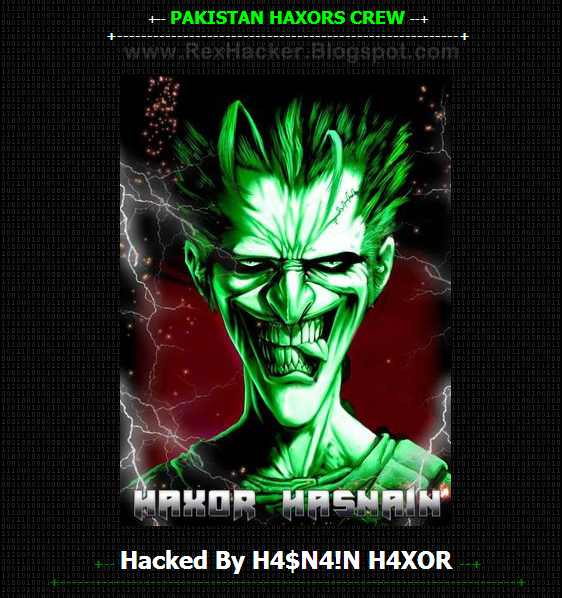
PTV Sports  Official Website Hacked by Pakistani Hackers Team Name Is Pakistan Haxors Crew.
This Hacking is just for security reminder not any politically or personal issue.
Now a days pakistani hackers are very angry to Pakistani Government.
Four days ago Pak Cyber Expert Team Hack Directorate General Public Relations, Punjab (DGPR) Official Website.
DGPR Punjab Website Hacked by Pakistani Hackers

PTV Sports Official Website Hacked Section.
http://sports.ptv.com.pk/t20/

Zone-h Mirror Link.
http://zone-h.com/mirror/id/22580320

Pakistan Haxors Crew Left Message On PTV Sports Official Website.
"PTV OWN3D
Whatever you fail to detect, will cause your downfall...

 Pakistan Haxors Crew is here to remind you of your security... Our fight is not against any individual but the system as a whole.. 


Should you choose to ignore security, it will reincarnate as your worst nightmare !
We just defaced your website to give you a chance to put your hands on it before others come and destroy it!


# WE ARE Pakistan Haxors Crew ! Consider yourselves warned BECAUSE CONSEQUENCES WILL FOLLOW #
 Contact Us# 

+-------------------PAKISTAN ZINDABAAD-----------------------+

We are: #PHC# : || H4$N4!N H4XOR || King Haxor || Hunt3r Khan || Nadan Shezada || Hax Phc || Danyal Phc || Zaryab Jamil || ScAvEnGeR || Rox R00t || K4i Behroz || Tabraiz Haxor || S.O.G || Hitcher Kh || Hax.R00t || ArYaNz KhAn || MaSt3r Mind || Sizzling Soul || Sam Messi ||"


Available link for download

Read more »

Wednesday, March 1, 2017

ARY News Official Website Hacked By Hasnain Haxor

ARY News Official Website Hacked By Hasnain Haxor


(Updated) Now Website Restored
The official website of Pakistan‘s famous ARY News Channel website has been hacked and defaced by Pakistani hacker ‘Hasnain Haxor‘ just few hours ago.
Pakistani Hacker Arrested For Hacking Into Telecom Companies Database
ARY News website came under attack for broadcasting Blasphemous, vulgar and Indian Content, as mentioned on the deface page left by the hacker on ARY’s homepage.

According to the deface message:

"You have been punished for broadcasting blasphemous, vulgar and Indian material. Consider yourself warned because consequences will follow"
Link of targeted website and its mirror is available below:

http://www.arynews.tv/
http://www.arynews.asia/

Mirror :-
http://zone-h.com/mirror/id/22451401
http://zone-h.com/mirror/id/22451341

Pakistani media is under massive criticism these days for promoting Indian content. Targeting a News channel as big as ARY shows that even hackers are not happy with their local media.

It has been reported that ARY News’ journalist Mubashir Luqman had his Twitter account hacked as well.

At the time of publishing this article, ARY News website account was suspended as shown in the screenshot below:

ARY News is a Dubai-based Pakistani news channel launched in 26 September 2004. A bilingual news channel in English and Urdu.

Available link for download

Read more »

Tuesday, February 14, 2017

SAMAA FM Official Website Hacked by Pakistani Hackers

SAMAA FM Official Website Hacked by Pakistani Hackers


Samaa FM Official Website Hacked

SAMAA FM Official Website Hacked by Pakistani Hackers

Pakistani News Channel Samaa FM Official Website Hacked by Pakistani Hackers Team Name Is Pak Cyber Attackers in Protest Against Promoting Indian Culture. Samaa FM Official Website Hacked by Hunter Gujjar.

Pak Cyber Attackers Team Left a Message For Samaa FM Management On Their Website.

Same Hackers group already hacked Pakistani Jaag TV Official Website and Pakistani Model & Designer Sadia Imran Official Website.

Samaa FM Official Website: http://samaafm.com/pca.htm
Mirror Link: http://www.mirror-h.org/view-%3E515635


Hackers Message On Samaa FM Official Website

why you are promoting indian culture ? we dont want to see indian movies nor drama,s from indian side so stop publishing indian content and promote your own culture.

Why you are not giving total coverage to us about ceasefire ? because you are busy in azadi march ? with imran khan ? stop this shit because if you will not cover us then who will cover us ? we still have some soft corner for you in our heart because we know that you will come to the right path soon.

Available link for download

Read more »

Monday, February 13, 2017

Pakistan Tehreek e Insaf Official Website Hacked

Pakistan Tehreek e Insaf Official Website Hacked


Website Restored
The official website of Pakistan‘s famous political party Pakistan Tehreek-e-Insaf Official website has been hacked and defaced by Pakistani hacker ‘W3B_DR1FT3R‘ just few hours ago. Now Admin of PTI website restore website.
as mentioned on the deface page left by the hacker on PTI Official  homepage.
According to the deface message:
"Hacked by W3b_dR1ft3R

Muslim Cyber Army

Hello Dear Imran Khan !!
I Have hacked your website just to ask you some questions and want to suggest you some things 
First of All bieng a muslim we should have pain for other Muslim fellows(palestines) Israhell is burning them instead of having unity in country you are activities are just for fitna nothing else please Pakistan is in state of war now so let it be strong so that He can stand and fight for other muslim guys who are burning in palestine please please and please 
Pakistan Zindabad 
Long live Palestine

Greetz to All Muslim Anonymous

Official Members : Intruder || Romantic
http://insaf.pk/
Mirror:
http://zone-hc.com/archive/mirror/47a5753_insaf.pk_mirror_.html

Available link for download

Read more »

Saturday, February 4, 2017

Windows 10 RS1 Build 14291 Official ISO with All Editions Activator

Windows 10 RS1 Build 14291 Official ISO with All Editions Activator


Windows 10 RS1 Build 14291 Official ISO with All Editions Activator


Windows 10 RS1 Build 14291 Official ISO with All Editions Activator


Windows 10 is familiar and easy to use, with lots of similarities to Windows 7 including the Start menu. It starts up and resumes fast, has more built-in security to help keep you safe, and is designed to work with software and hardware you already have. So Why become late ? Get Windows 10 Final Build on your devices today !

Features

Windows 10: 
Add tabs to Windows Explorer/File Explorer
Make Windows Update a one-stop shop for ALL drivers
Kill off all Aero-themed objects
Bring back Aero Glass!
Persian calendar
Pin ANYTHING to the Start menu
A new Notepad.exe
Remixing the Volume Mixer
Drag-and-drop apps between virtual desktops
What’s New in Build 14291

Start and Cortana

Cortana can now provide turn-by-turn directions with the new Maps app
Edge

Edge has been updated from version 31.14279 to 34.14291
Edge now supports Extensions
Extensions can now add an icon to the address bar
Tabs can now be pinned to the tab bar
The address bar now supports “Paste and go”
The address bar now supports “Paste and search”
When the window becomes too narrow, the Hub, Web Notes, and Share button will appear in the ellipses menu as icons instead of text
The padding between the URL bar and Hub-icon is slightly larger
Edge now supports VP9 behind a flag
System

Windows now have a one-handed Japanese kana keyboard
The Text Input Canvas has a new Japanese lined-mode
Apps

The Alarms & clocks app now can use an inline time selector
Windows Maps has been redesigned
The Windows Feedback app has been removed
The Insider Hub app has been renamed to Feedback Hub and can now process Feedback
Fixed issues

The system tray’s layout is no longer disrupted by enabling “Always show all icons in the notification area”
The connection to older Wi-Fi networks that use WEP encryption is no longer broken
The “Find of Page” toolbar now always displays its close-button on-screen for 8-inch devices
Fixes an issue where the notification area would display the old USB icon when ejecting drives
Fixes an issue in Edge that caused a suggested search to result in a URL to the search as the search string

Windows 10 Activator

So Here Comes The Best & the Working windows 10 activator.This activator is tested by us on all the editions of windows 10 & seems to be working perfectly.So probably you should also try it.It Has Activated All editions Permanently. So Try It & Activate yours Also.

How to activate ?

Download Re-Loader Activator From Links Given Below
Run Re-loader & Click On Accept Button
Now Check The Box Of Windows logo -Skip If Already Checked
Click On Active–Yes & Wait till It Says Completed
That’s It. Enjoy!

Download Links

Windows 10 Pro 32-BIT
download

Windows 10 Pro 64-BIT
download

Windows 10 Enterprise 32-BIT
http://sh.st/SwGZi

Windows 10 Enterprise 64-BIT
download

Window 10 All Editions Activator
link1
linke2

Available link for download

Read more »

Thursday, January 26, 2017

Official Stock Firmware for ALL Galaxy S6 Edge flash file

Official Stock Firmware for ALL Galaxy S6 Edge flash file


Welcome to your central place where you can download the latest version of Samsung GalaxyS6 Edge stock firmware for ALL variants.
If you find any new stock firmwares that you want added to this list please PM ME!!

Disclaimer: I am not responsible for anything that may happen to your device!!!

Enjoy fast and uncapped download speeds and I will try to add more stock firmwares once they become available (especially AT&T and Verizon variants). 

You can also check out the full list here for DOWNLOADS:http://www.androidrootz.com/p/galaxy...-firmware.html
If you dont know how to use these stock TAR firmware follow this guide:http://www.androidrootz.com/2015/05/...d-s6-edge.html


Warning! Please do not post any Sammobile links as it violates XDA forum rules! see here , too )


United States

T-Mobile SM-G925T Galaxy S6 Edge Stock Firmware
Android Version: 5.1.1
PDA: G925TUVU2COF6
DownloadHere 

T-Mobile SM-G925T Galaxy S6 Edge Stock Firmware
Android Version: 5.0.2
PDA: G925TUVU1AOCG
DownloadHere 

Sprint SM-G925P Galaxy S6 Edge Stock Firmware
Android Version: 5.0.2
PDA: G925PVPU1AOCF
Download: Here 

Verizon SM-G925V Galaxy S6 Edge Stock Firmware
Android Version: 5.0.2
PDA: G925VVZW1AOC3
Download: Here 

AT&T SM-G925A Galaxy S6 Edge Stock Firmware
Android Version: 5.0.2
PDA: G925AUCU1AOCE
Download: Here 

US Cellular SM-G925R4 Galaxy S6 Edge Stock Firmware
Android Version: 5.0.2
PDA: G925R4TYU1AOCB
Download: Here 

Canada SM-G925W8
Rogers SM-G925W8 Galaxy S6 Edge Stock Firmware
Android Version: 5.0.2
PDA: G925W8VLU1AOCG
Download: Here 

Telus SM-G925W8 Galaxy S6 Edge Stock Firmware
Android Version: 5.0.2
PDA: G925W8VLU1AOCG
Download: Here 

Bell SM-G925W8 Galaxy S6 Edge Stock Firmware
Android Version: 5.0.2
PDA: G925W8VLU1AOCG
Download: Here

Videotron SM-G925W8 Galaxy S6 Edge Stock Firmware
Android Version: 5.0.2
PDA: G925W8VLU1AOCG
Download: Here

United Kingdom SM-G925F (UK)
H3G SM-G925F Galaxy S6 Edge Stock Firmware
Android Version: 5.0.2
PDA: G925FXXU1AOCV
Download: Here

O2 SM-G925F Galaxy S6 Edge Stock Firmware
Android Version:5.0.2
PDA: G925FXXU1AOCV
Download: Here

Vodafone SM-G925F Galaxy S6 Edge Stock Firmware
Android Version: 5.0.2
PDA: G925FXXU1AOCZ
Download: Here

India SM-G925I 

India SM-G925I Galaxy S6 Edge Stock Firmware
Android Version: 5.0.2
PDA: G925IDVU1AOE2
Download: Here

Spain SM-G925F 

Vodafone SM-G925F Galaxy S6 Edge Stock Firmware
Android Version: 5.0.2
PDA: G925FXXU1AOCZ
Download: Here

Movistar SM-G925F Galaxy S6 Edge Stock Firmware
Android Version: 5.0.2
PDA: G925FXXU1AOCV
Download: Here

Korea

KT SM-G925K Galaxy S6 Edge Stock Firmware
Android Version: 5.0.2
PDA: G925KKKU1AOD5
Download: Here

LG Uplus SM-G925L Galaxy S6 Edge Stock Firmware
Android Version: 5.0.2
PDA: G925LKLU1AOD5
Download: Here

SK Telecom SM-G925S Galaxy S6 Edge Stock Firmware
Android Version: 5.0.2
PDA: G925SKSU1AOD5
Download: Here

China
China SM-G9250 Galaxy S6 Edge Stock Firmware
Android Version: 5.0.2
PDA: G9250ZTU1AOE4
Download: Here

Available link for download

Read more »

Samaa TV Channel Official Website Hacked by Pakistani Hacker

Samaa TV Channel Official Website Hacked by Pakistani Hacker


Samaa TV Channel Official Website Hacked
Pakistani News Channel Samaa TV Official Website Hacked by Pakistani Hackers Team Name Is Pakistan Haxors Crew in Protest Against Promoting Indian Culture. Samaa TV Official Website Hacked by Kai-H4xOrR.

Pakisan Haxors Crew Team Left a Message For Samaa TV Management On Their Website.

Same Hackers group already hacked Pakistani Sports Channel PTV Sports Official Website and ARY News Official Website.

Samaa TV Official Website: http://live.samaa.tv/
Mirror Link: http://zone-h.com/mirror/id/23114186?zh=1


Hackers Message On Samaa TV Official Website

why you are promoting indian culture ? we dont want to see indian movies nor drama,s from indian side so stop publishing indian content and promote your own culture.

Why you are not giving total coverage to us about ceasefire ? because you are busy in azadi march ? with imran khan ? stop this shit because if you will not cover us then who will cover us ? we still have some soft corner for you in our heart because we know that you will come to the right path soon.

Available link for download

Read more »

Friday, January 20, 2017

The Mini Version of LG G2 Flagship Goes Official

The Mini Version of LG G2 Flagship Goes Official


The Mini Version of LG G2 Flagship Goes Official
LG has announced the mini version of its G2 flagship, the G2 Mini. Don’t get fooled though, this isn’t a mini just by name only.
The specs are not even close in some instances to its older sibling. On the front, you get a 4.7 inch IPS LCD on the front, with qHD resolution.
Beneath, a 1.2Ghz quad-core Snapdragon 400 processor can be found, accompanies with 1 GB worth RAM and 8 GB expandable storage.
At the back lies an 8 megapixel camera which does 1080p videos too, coupled by a 1.3 mp HD camera at the front.
Connectivity options include Wi-Fi, microUSB 2.0, FM Radio, Bluetooth 4.0 and GPS. A 2,420 mAh battery powers up the phone.
The OS running on the phone is Android 4.2.2 Jelly Bean, customized by LG. Here are the full specs of the phone:
  • Customized Android 4.2.2 Jelly Bean
  • 4.7? IPS display at the front with qHD resolution
  • 9.8mm thick
  • 1.2Ghz quad-core Snapdragon 400 processor
  • 1 GB RAM with 8 GB internal expandable storage
  • 8 megapixel rear-camera with 1080p video recording
  • 1.3 megapixel HD front-camera
  • Wi-Fi, microUSB 2.0, FM Radio, Bluetooth 4.0, GPS
  • 2,420 mAh battery
  • Available in Black, White, Champagne and Red
The phone will be available starting from March for an unknown price tag. While it is sold as the smaller version of the G2, the mini is not really worthy of that title. Just like the Galaxy S4 Mini, it is a mid-range device with a name destined to sell millions.
Until now, then, only the Z1 Compact has excelled at doing that which raises the question that if it is possible for smaller makers like Sony, why not for worldwide leaders such as Samsung and LG?

Available link for download

Read more »